To compare an offer before you accept it, divide the payout by the estimated miles for pay per mile, and divide it by the estimated minutes and multiply by 60 for an hourly equivalent. Both figures describe one offer, using that offer’s estimates. They don’t tell you what your shift will pay.
Get the three numbers from the same offer
You need three details, and they all have to describe the same trip: the displayed payout (P), the estimated miles (M), and the estimated minutes (T).
Some apps show these for different parts of a trip. One might show only the drop-off distance, and another might include the drive to pickup. Use what the offer actually shows, and don’t mix numbers from two offers or two parts of a trip.
Work out pay per mile
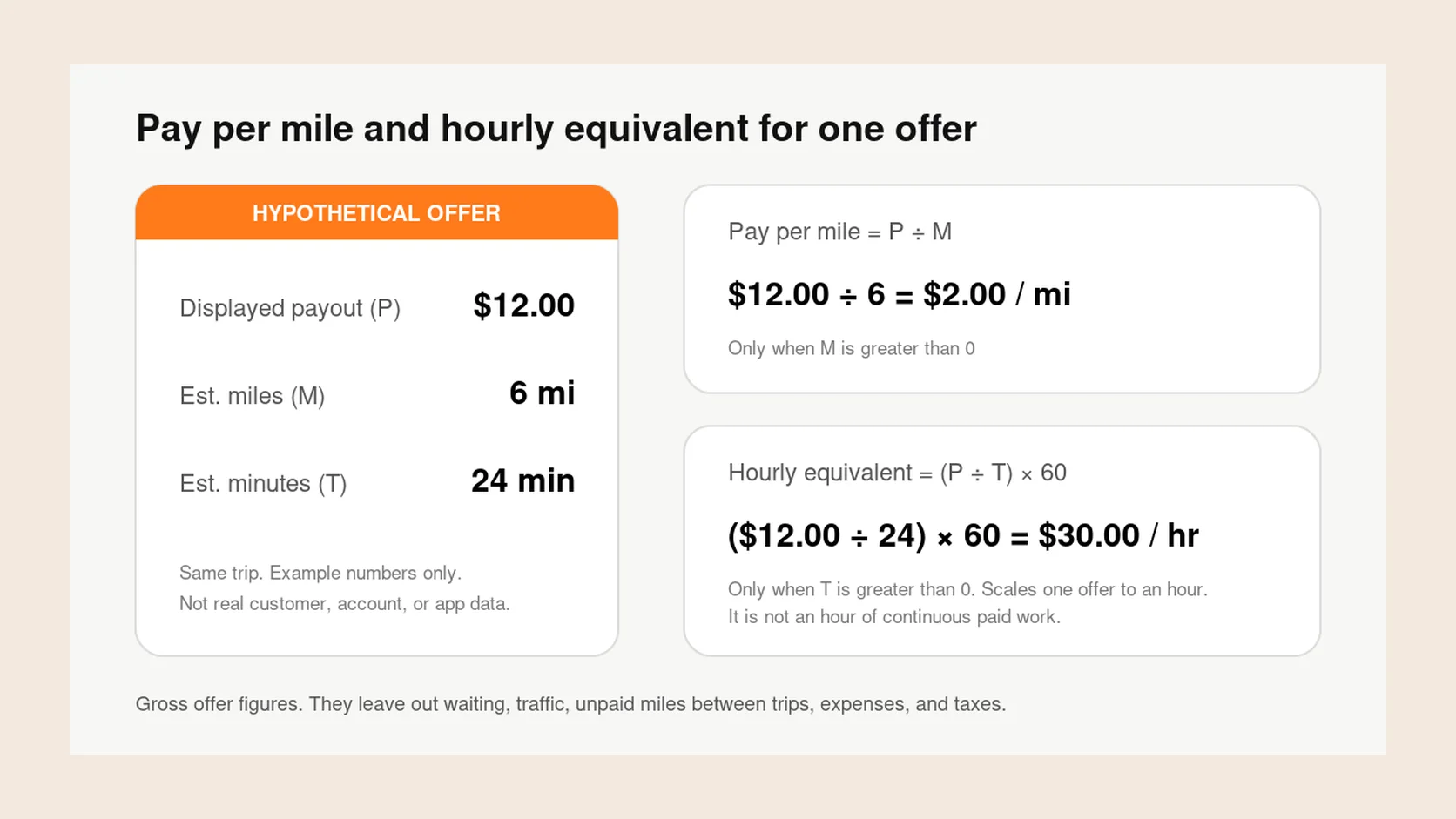
Divide the payout by the estimated miles: pay per mile = P ÷ M. The result is dollars per mile, rounded to two decimals.
This only works when the offer shows more than 0 miles. If there are no miles, there’s no pay per mile. Dividing by zero doesn’t make an offer look good. It gives you no answer, so judge the offer on what it does show instead of filling in a guess.
Work out an hourly equivalent
Divide the payout by the estimated minutes, then multiply by 60: hourly equivalent = (P ÷ T) × 60. Again, you need a time estimate greater than 0.
This answers one question: if this offer’s pay rate held for a full hour, what would that hour pay? It doesn’t mean you’ll get an hour of back-to-back paid work at that rate. It’s a way to put offers of different lengths on the same scale.
Try it on a hypothetical offer
The example below is invented to show the arithmetic. It isn’t a real offer, a typical offer, or how any particular app calculates its numbers.
| Offer detail | Hypothetical value |
|---|---|
| Displayed payout (P) | $12.00 |
| Estimated miles (M) | 6 miles |
| Estimated minutes (T) | 24 minutes |
| Pay per mile: $12.00 ÷ 6 | $2.00 |
| Hourly equivalent: ($12.00 ÷ 24) × 60 | $30.00 |
What these numbers leave out
Now change one estimate at a time. If the same $12.00 trip takes 36 minutes instead of 24, the hourly equivalent drops to $20.00. If it’s 8 miles instead of 6, pay per mile drops to $1.50.
The payout didn’t change, but a dozen extra minutes or two extra miles changed the picture a lot. Estimates can be off, so treat the results as a rough guide, not a guaranteed result.
Both formulas use the offer’s payout and its estimates. Neither accounts for waiting at the pickup, traffic that makes the drive longer, unpaid miles back toward a busy area, your expenses (gas or charging, maintenance, insurance, your phone plan), or taxes.
That’s why gross isn’t net. Pay per mile is what the offer pays per estimated mile, not what you keep. Profit would subtract your vehicle costs and any unpaid miles, and taxes come on top of that.
Keep two things apart: what an app shows you about an offer, and your own wider estimate of a shift, which can include your costs, typical waits, and usual dead miles. The offer math feeds into that wider estimate, but it can’t replace it.
Compare against your own goals
There’s no single good pay per mile or hourly number for every driver. Your vehicle, market, costs, and available time all change what’s worth it to you.
Decide on your own minimums first, such as a minimum payout, pay per mile, or maximum distance. Run each offer through the two formulas, compare the results with your minimums, and then think about what the numbers leave out before you decide.
If you work more than one app, the same math lets you compare offers side by side. See How to multiapp: a food delivery driver’s guide and How to DoorDash and Uber Eats at the same time. To put both formulas to work on a real choice, read How to compare two DoorDash offers beyond the payout.
Is the estimated hourly rate what you’ll make on a shift?
No. The hourly equivalent scales one offer’s estimated rate up to an hour. Your hourly pay for a shift also includes time between offers, waiting, repositioning, and trips that run longer than estimated. You can only know it after the shift.
Where Giga Driver fits
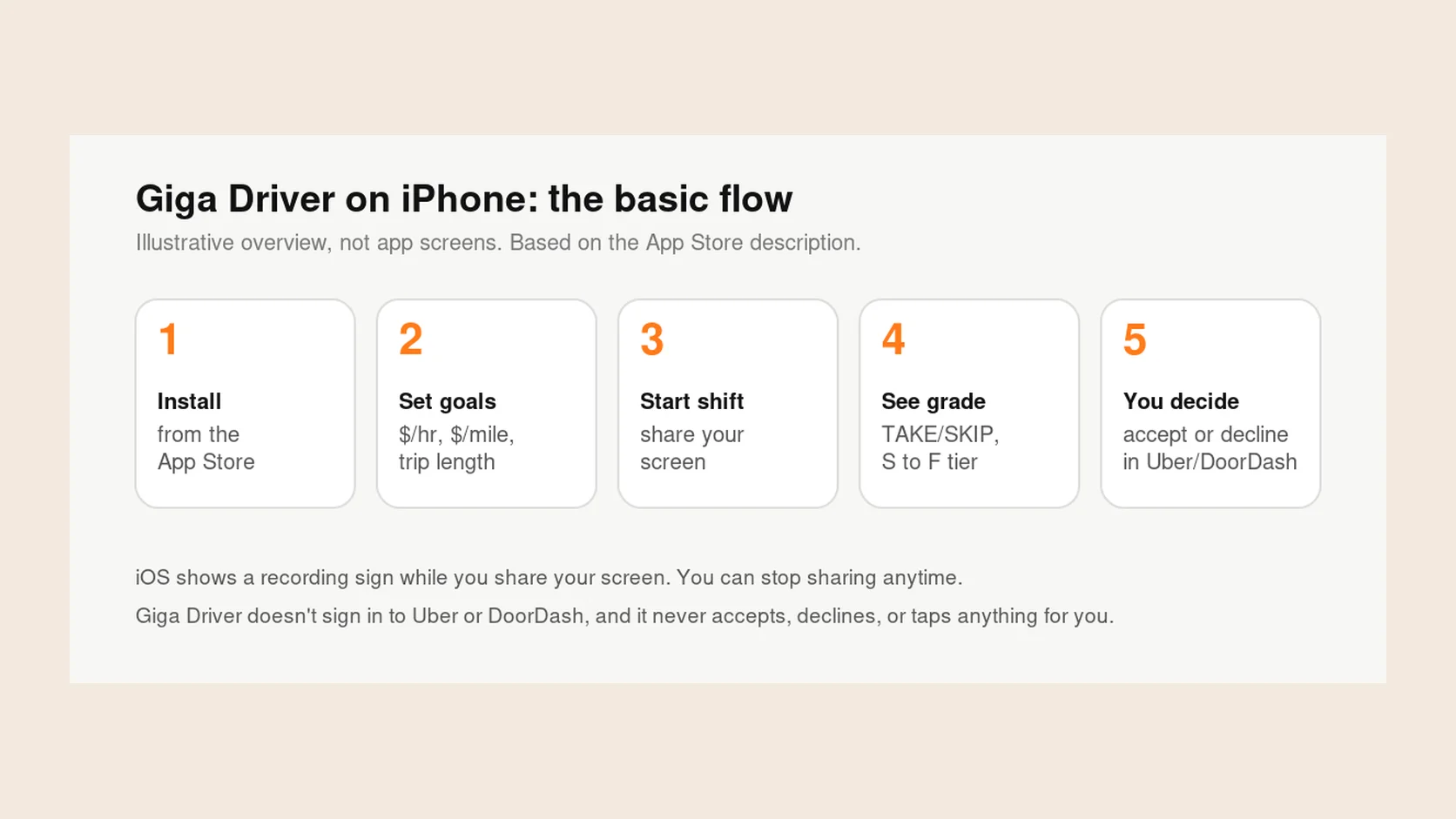
If you’d rather not do the division while a timer counts down, Giga Driver for iPhone reads Uber, Lyft, and DoorDash offers on your screen and works out pay per hour and pay per mile from the offer’s pay, time, and distance. You set your own goals and filters, like an hourly target, a minimum pay per mile, and trip length, and it shows TAKE, MAYBE, or SKIP with a letter tier at the top of your screen. You can also look back at the offers you saw and the trips you took.
You still accept or decline in the delivery app yourself. Giga Driver doesn’t sign in to Uber or DoorDash, and it never taps anything for you. Its numbers come from the offer, so everything it leaves out still applies.