To decide whether a delivery offer is worth accepting, compare its payout, miles, and estimated time with your own goals, then allow for waiting, vehicle costs, and where it leaves you. The worked DoorDash examples below show how two equal payouts can be very different trips. The same method works for an Uber Eats offer when those details are available.
Start with payout, distance, and time
Use the payout, distance, and time estimate actually shown on the offer. Details can vary by app and offer type; a time estimate may be absent. Check whether the mileage includes the drive to pickup so you do not omit it or count it twice. The dollar amount alone does not tell you how long you will be busy.
Two quick figures make offers comparable: pay per mile (payout ÷ miles) and an hourly equivalent ((payout ÷ minutes) × 60). For the full walkthrough, including what to do when a number is missing, see How to calculate pay per mile and hour for a delivery offer.
Two offers with the same payout
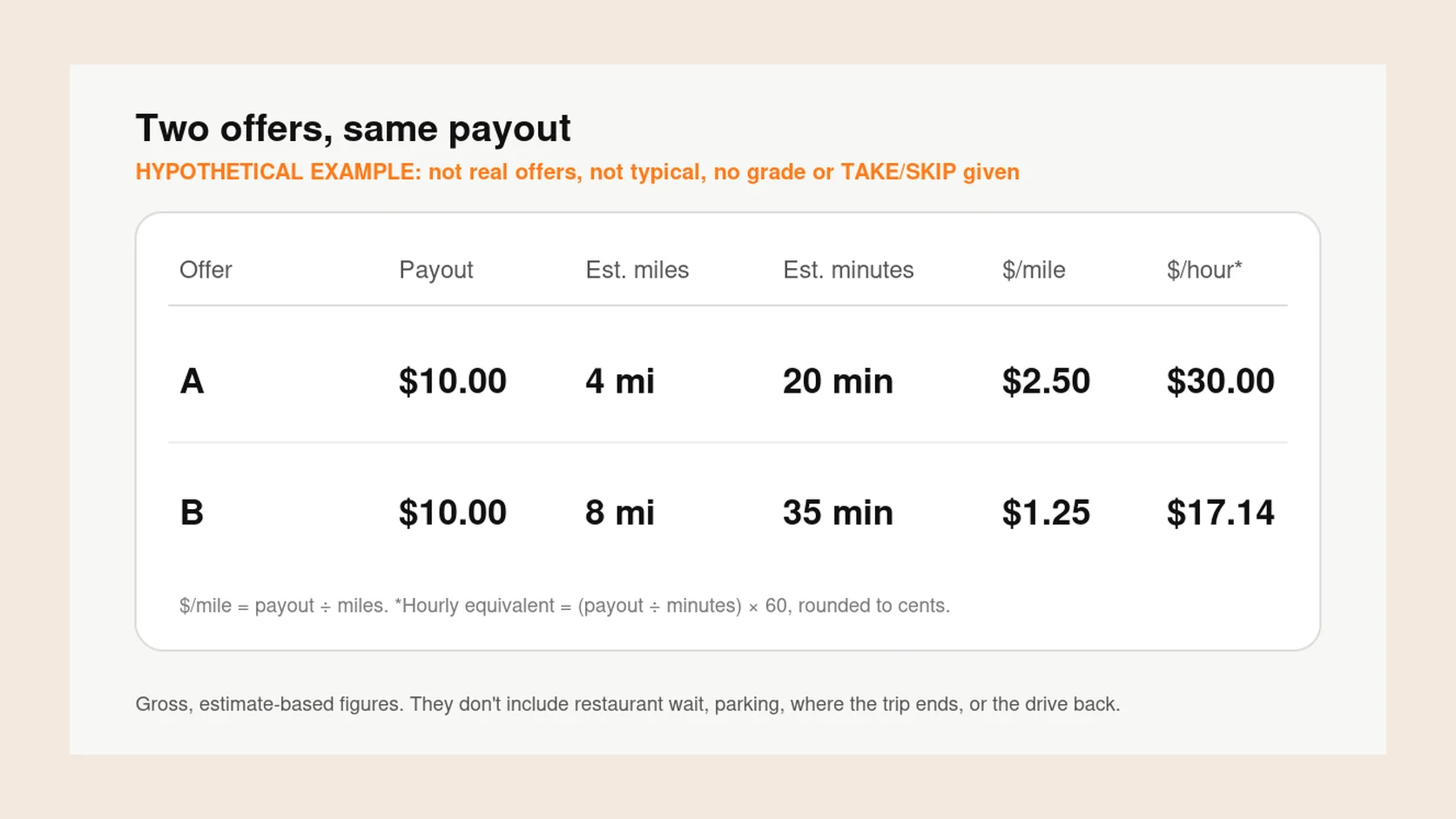
The examples below are invented for comparison. They aren’t real offers, and they aren’t meant to be typical of any market.
Assume the miles and minutes cover pickup through drop-off. Tips not included in the displayed payout, extra waiting, travel after drop-off, and expenses are excluded. These are gross offer rates, not net profit or expected shift earnings.
| Offer detail | Offer A | Offer B |
|---|---|---|
| Payout | $10.00 | $10.00 |
| Estimated miles | 4 miles | 8 miles |
| Estimated minutes | 20 minutes | 35 minutes |
| Pay per mile | $2.50 | $1.25 |
| Hourly equivalent for this trip | $30.00 | $17.14 |
Check both rates against your goals
By payout alone, these are a tie. Once you add distance and time, they look very different.
On these inputs, Offer A rates higher on both measures, because it covers half the distance in less time. That doesn’t make A right for everyone, every time. It only means A looks better on the numbers the offer shows.
The useful question isn’t which payout is bigger. It’s whether each offer meets the goals you set for this shift, such as a minimum pay per mile, a minimum hourly equivalent, or a maximum distance. Sometimes both pass, sometimes neither does.
For illustration, if your own checklist asks for at least $2 per mile and no more than 6 miles, Offer A passes those two checks and Offer B does not. Those thresholds are an example, not a suggested default. An hourly target is another comparison point, not a promise of a full hour of work at that rate.
What the numbers miss
Both figures come from the offer’s own estimates. They can’t see a restaurant that’s running late, the minutes spent finding parking, whether the drop-off leaves you somewhere busy or quiet, or the unpaid drive back toward your usual zone.
You know your area better than any formula. If a restaurant always runs late, or a drop-off zone rarely leads to new offers, factor that in yourself.
If Offer A takes 10 extra minutes, its $10 over 30 minutes becomes a $20 hourly equivalent. If it also requires 2 unpaid miles after drop-off, the same $10 covers 6 miles, or about $1.67 per mile. Keep these personal assumptions separate from the app’s displayed estimates.
What if the offer has no time estimate?
You can calculate pay per mile if payout and a positive distance are available, but you cannot calculate an offer-based hourly equivalent without a positive time estimate. If you make your own estimate, label it as yours and include pickup and waiting. A blank field is uncertainty, not zero minutes or unlimited pay.
Is there one minimum pay per mile for everyone?
No. The right minimum depends on your vehicle costs, your market, how busy it is, and what you need from the shift. Set your own minimums and adjust them as you learn what works.
You make the call
Mental math, a checklist, or an app’s recommendation helps inform your decision. Estimates can be wrong. You accept or decline in the Dasher or Uber Driver app yourself; Giga Driver does not make that choice for you.
If you run DoorDash alongside another app, How to DoorDash and Uber Eats at the same time covers comparing offers and pausing requests across both.
Where Giga Driver fits
Giga Driver for iPhone reads DoorDash, Uber, and Lyft offers on your own screen and works out pay per hour and pay per mile from the offer’s pay, time, and distance. It compares them with goals and filters you set, such as an hourly target, a minimum pay per mile, and trip length, and shows TAKE, MAYBE, or SKIP with a letter tier at the top of your screen.
On Android, check how offer grades work and the setup requirements on Get the app. A grade uses the supported offer details and your settings; it does not account for every cost or guarantee the final payout. For a record to review later, see saving offer screenshots.
The goals are yours. Giga Driver doesn’t hand you a universal good-offer number. According to its App Store listing, it doesn’t sign in to DoorDash, and it never accepts, declines, or taps anything for you. Setup steps for iPhone are in How to set up Giga Driver on iPhone for Uber, Lyft, and DoorDash offers, or you can get Giga Driver on the App Store.