Mostly, yes. A DoorDash offer shows one guaranteed amount that includes base pay and any tip the customer added at checkout, but DoorDash’s help pages don’t describe a separate tip line before you accept. Tips added after checkout come on top, so your final pay can be higher than the offer. DoorDash describes the offer amount as a minimum.
What a DoorDash offer shows
DoorDash says the guaranteed pay on an offer is the minimum you’ll take home from it, and that this amount includes base pay and customer tips, though total earnings may be higher. Peak Pay and pay boosts are added to the total shown too. The offer screen also shows details like the deliver-by time, with icons for things like a Red Card or alcohol.
What DoorDash doesn’t promise is a separate tip figure. Base pay depends on estimated time, distance and desirability, and DoorDash says base pay never varies based on the tip, so the same total can be built in different ways. A hypothetical $9 offer could be $3 of base pay and a $6 tip, or $7 of base pay and a $2 tip.
What appears on your own screen can vary by app version and market, so look at a few offers while parked to see how yours are laid out.
Can customers change the tip after you accept?
Customers can add to it. DoorDash’s customer help says they can add a tip from the order progress screen once a Dasher is assigned, or afterward from the receipt for up to 30 days. They can also contact support to add or adjust a tip on a completed order within 30 days.
When a tip arrives after checkout, DoorDash says you get a notification and an updated breakdown in the Earnings tab. That money is on top of the guaranteed amount you accepted.
DoorDash’s pages don’t describe customers lowering a tip in the app. Because the offer amount is a stated minimum, contact Dasher support if a completed offer ever pays less than it showed. A saved offer screenshot makes that conversation easier.
Where to see the tip after delivery
After a delivery, the Earnings section of the Dasher app shows your pay split into base pay, tips and other rewards, according to DoorDash. That’s where you finally see the tip on its own. DoorDash’s own example is $6 of base pay plus a $5 tip for $11 in total.
Because customers can add a tip for up to 30 days, the figure can change after your shift. A simple routine shows you what offers in your area really pay:
- Save a screenshot of any offer you want to track, so you have the guaranteed amount.
- Check the Earnings breakdown the same day, then again a few days later.
- Note the restaurant, zone and time next to any tip that arrived after delivery.
Why some offers show a small tip, or none
A low offer doesn’t always mean the customer won’t tip. Some customers tip after delivery, and DoorDash notes that some orders placed directly with a merchant don’t offer a tip option at all, which isn’t the same as choosing not to tip.
Location matters too. In New York City, DoorDash moved tipping to after checkout from December 4, 2023, so tips there couldn’t be part of the offer amount. A city law in effect since January 26, 2026 requires delivery apps to offer a tip option before or at checkout, including a choice of at least 10%.
What Uber Eats shows by comparison
Uber says its Driver app shows a total fare that includes the estimated tip before you accept a delivery request, and that customers have one hour after delivery to change their tip. Extra tips added after the trip are paid on top.
Since November 2025, Uber has been rolling out a tip guarantee on US delivery trips. When a request includes a tip, it carries a guaranteed badge, and if the tip goes down after delivery, Uber covers the difference. Exceptions include canceled or reassigned orders, a customer reporting the order wasn’t received, failed payments, basket changes on percentage tips, and orders placed through third parties.
Here’s how the two compare, based on what each company’s help pages say.
| Question | DoorDash | Uber Eats |
|---|---|---|
| Is the checkout tip in the offer amount? | Yes, guaranteed pay includes base pay and tips | Yes, the total fare includes the estimated tip |
| What the offer amount means | A minimum you’ll take home | The upfront fare; a guaranteed badge when it includes a tip |
| Can the customer add more later? | Yes, for up to 30 days | Yes, added on top after the trip |
| Can the tip go down after delivery? | Not described in DoorDash’s help pages | Customers can change it for one hour; the US guarantee covers drops on badged trips |
How to judge an offer when the tip is uncertain
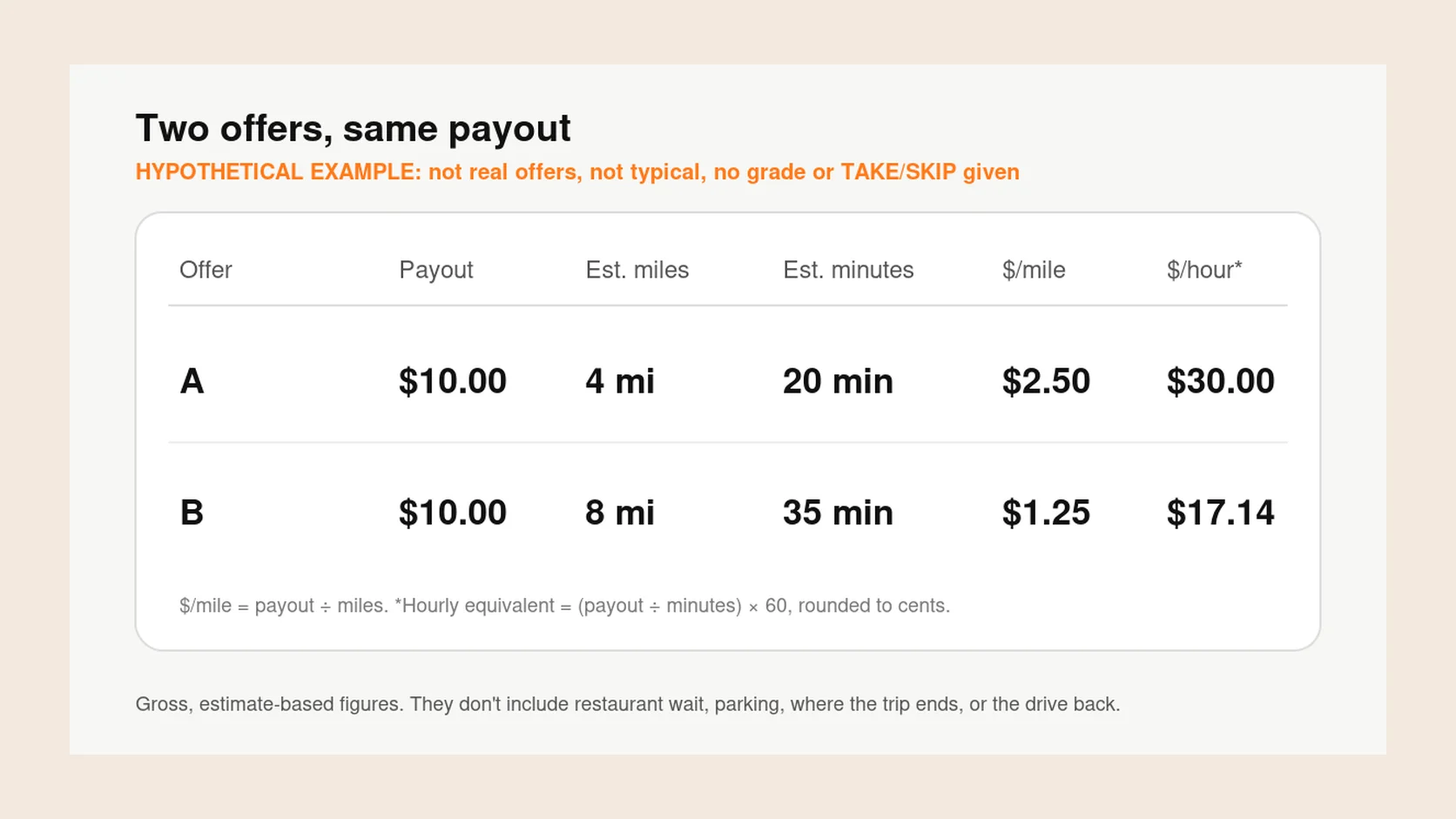
Treat the guaranteed amount as your pay and any later tip as a bonus. Work out pay per mile and per hour from the guaranteed amount alone, and accept only if it meets your minimums on its own.
For example, a hypothetical $6.50 offer over 7 miles is about $0.93 per mile. If you’re hoping for a $5 tip after delivery, it would be about $1.64 per mile, but that’s a hope, not part of the offer. You can check numbers like these with the free Grade your offer calculator, and How to compare two DoorDash offers covers time and distance.
Your notes from the routine above help here. If certain zones or restaurants often bring extra tips after delivery, you can let that sway a borderline offer, but only once your records show it.
Giga Driver reads the amount on each DoorDash offer, shows its pay per mile and per hour against goals you set, and keeps an offer history, so you can line up what you were offered with what you were paid. You accept or decline in the Dasher app yourself.
Key takeaways
- A DoorDash offer shows one guaranteed amount that includes base pay and the checkout tip.
- DoorDash calls that amount a minimum, and tips added later are paid on top.
- Customers can add a tip after delivery for up to 30 days.
- Uber Eats shows a total fare with the estimated tip and, in the US, guarantees tips on badged trips.
- Judge each offer on the guaranteed amount alone and treat later tips as a bonus.
Common questions
Can Dashers see how much you tip?
Before accepting, a Dasher sees a guaranteed total that includes your checkout tip, not necessarily a separate tip figure. After the delivery, the Earnings tab shows the Dasher a breakdown that includes tips. DoorDash says the Dasher gets 100% of the tip.
Can Dashers see when you add a tip?
Yes. DoorDash says Dashers get a notification when a tip is added after checkout, and the Earnings tab shows the updated amount. The added tip is on top of what the offer guaranteed.
Does DoorDash keep part of the tip?
DoorDash says 100% of tips it receives go to the Dasher or Dashers who fulfilled the order. It also says base pay and promotions don’t change based on the tip amount, so a bigger tip means more total pay.
Do Dashers get the service fee?
DoorDash’s help pages describe Dasher pay as base pay, promotions and tips. They don’t describe the customer’s service fee as going to the Dasher, so the tip is the part of an order that is passed to the Dasher in full.
Do Dashers only make tips?
No. In Earn per Offer mode, DoorDash pays base pay of $2 to $10 or more per offer, plus promotions such as Peak Pay, and tips come on top. In Earn by Time mode, base pay is a guaranteed hourly rate for active time, and DoorDash says tips may be less frequent.